 By Stephen Conley, Founder & Creative Director at Gisteo
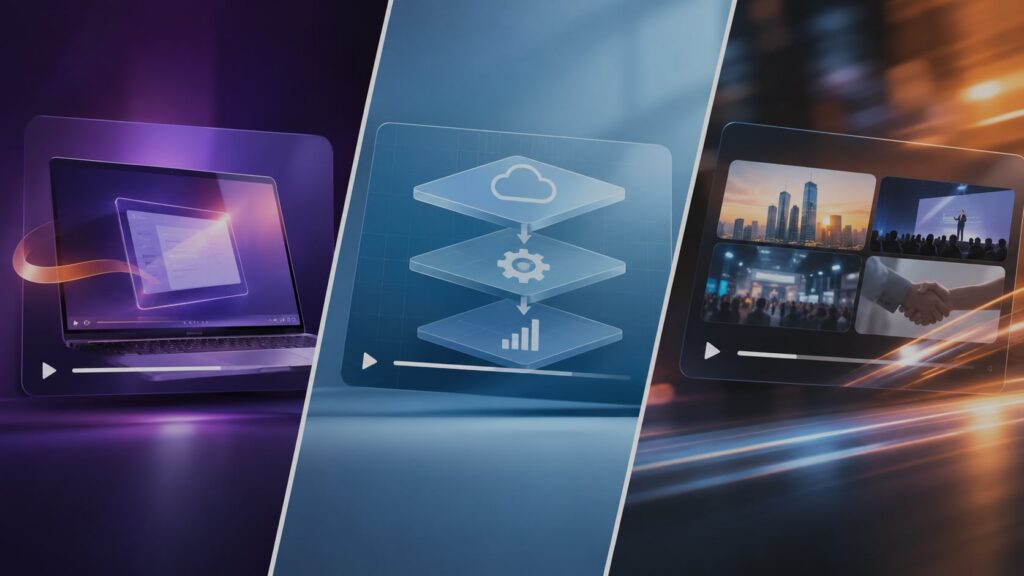
Quick answerMotion graphics is animation built from graphic elements: text, shapes, icons, charts and illustrations, made to move. Video editing is cutting and arranging footage that already exists, such as filmed shots, screen recordings or animation, into a finished story. Motion graphics creates new visuals; editing assembles them. Most marketing and explainer videos use both: motion graphics for the visuals and an editor to shape pacing, sound and the final cut.
At Gisteo, we’ve made more than 3,000 videos since 2011, and almost every one of them involved both skills. Our motion graphics explainer videos start as designed frames that animators bring to life; then an editor times every scene to the voiceover and music. Clients often ask which one they need. The answer is usually both, in different amounts, and this guide explains how to tell.
Motion graphics vs video editing at a glance
| Motion graphics | Video editing | |
|---|---|---|
| What it does | Creates new animated visuals from design elements | Selects, trims and arranges existing footage into a story |
| Starting material | Designs, illustrations, logos, text, data | Filmed footage, screen recordings, animation renders, audio |
| Typical tools | Adobe After Effects, Cinema 4D, Blender | Adobe Premiere Pro, DaVinci Resolve, Final Cut Pro |
| Best for | Explaining ideas, data and products you can’t film | Interviews, testimonials, events, live-action ads |
| Typical output | Explainer videos, logo animations, animated ads, titles | Brand films, social cut-downs, documentaries, recaps |
| Time per minute | Longer: every frame is designed and animated | Shorter if the footage exists; longer for complex stories |
What is motion graphics?
Motion graphics, sometimes called motion design, is a form of animation that moves graphic elements rather than characters acting out a story. Think of animated text, icons that build into a diagram, a chart that grows as the narrator explains a number, or a logo that assembles itself at the end of an ad.
Because nothing has to be filmed, motion graphics is the natural choice for subjects that are abstract or invisible: software, financial products, data, processes and services. Designers create style frames first, then animators add movement, timing and transitions. Our guide to popular animation styles shows how motion graphics compares with 2D character animation, whiteboard and 3D.
What is video editing?
Video editing is the craft of turning raw material into a finished video. An editor chooses the best takes, cuts them into order, sets the pacing, adds music and sound effects, balances audio, corrects color and exports versions for each channel.
Editing is where a story gets its rhythm. The same footage can feel urgent or calm, funny or serious, depending on how it’s cut. Editors work with whatever has been captured or created, so their options depend on the material they’re given.
Key differences between motion graphics and video editing
- Motion graphics designers create visuals from scratch, while editors shape visuals that already exist.
- Skills differ too. Motion graphics leans on design, typography, illustration and animation timing. Editing leans on storytelling, pacing, sound and an eye for the strongest moment in a take.
- The software overlaps but isn’t the same. After Effects is built for layered animation; Premiere Pro and DaVinci Resolve are built for cutting long timelines of footage.
- Budgets scale differently. Motion graphics costs more per second because every second is designed. Editing costs depend mostly on how much footage there is and how complex the story is.
Motion design vs motion graphics: is there a difference?
In practice the terms are used interchangeably. Some studios use “motion design” for the broader discipline, including interface animation and brand systems, and “motion graphics” for the animated video work itself. If you’re hiring for an explainer or an animated ad, either term describes the same job.
When to use motion graphics, editing or both
| Your video | What it mostly needs |
|---|---|
| Explainer for a software or service product | Motion graphics, then an edit for pacing and sound |
| Customer testimonial or case study | Editing, with motion graphics for titles, stats and lower thirds |
| Data-heavy investor or annual-report video | Motion graphics for charts and numbers |
| Event recap or brand film from shot footage | Editing |
| Social ads in several formats | Both: animated hooks and text, cut into 9:16, 1:1 and 16:9 versions |
Most business videos land in the “both” column. A live-action testimonial looks more polished with animated titles and data callouts, and an animated explainer still needs an editor’s sense of timing.
Learning motion graphics or video editing
If you’re building the skill yourself, editing is the easier place to start: free tools like DaVinci Resolve and CapCut cover the basics, and you can practice on your own footage. Motion graphics takes longer to learn because it adds design and animation principles on top of the software. Many people learn editing first, then add After Effects once they want to animate text and graphics.
If you’d rather hire it out, our post on DIY explainer tools vs an agency covers where each route makes sense.
Frequently asked questions
What is the difference between motion graphics and video editing?
Motion graphics creates new animated visuals from design elements like text, icons and charts. Video editing cuts and arranges existing footage into a finished story. Most marketing videos use both.
Is motion graphics part of video editing?
No, they’re separate skills, though they often happen in the same project. Editors may add simple titles, but full motion graphics is designed and animated, usually in a tool like After Effects.
Which is harder to learn, motion graphics or video editing?
Motion graphics usually takes longer, because it combines design, typography and animation timing with the software. Editing is easier to start but takes years to master, especially pacing and storytelling.
What software is used for motion graphics and video editing?
Motion graphics is mostly made in Adobe After Effects, with Cinema 4D or Blender for 3D. Editing is done in Adobe Premiere Pro, DaVinci Resolve or Final Cut Pro.
How much does a motion graphics video cost?
At Gisteo, custom motion graphics explainer videos start at $3,500 per 60 seconds, including script, design, animation, voiceover and revisions. See our explainer video pricing for the full breakdown.
Need both done for you?
Gisteo’s team writes, designs, animates and edits in-house, so you don’t have to hire a motion designer and an editor separately and hope their work fits together. That’s how we’ve delivered explainer videos for brands from startups to Fortune 500 companies for more than 15 years.
Browse our custom animation portfolio, see how our motion graphics video production works, or book a free 30-minute brainstorm to talk through your project.
Start with a free brainstorm
Talk through your idea with us on a free 30-minute call or in a free script workshop. Curious about AI? Ask for a free 15-second sample. No obligation.
Related guides
 Video ProductionWhat Is a VSL? How VSL Funnels Work (2026 Guide)5 min read
 Video ProductionWhat Makes a Great Explainer Video Script? (Step-by-Step Guide for 2026)4 min read
 Video MarketingVideo Sales Letters: The Gisteo Guide10 min read
 Video ProductionBest Demo Duck Alternatives in 2026 (Honest Comparison)9 min read
 Video MarketingTransform Your Business with Professional Promotional Videos1 min read
 Video ProductionExplainer Video Service Near Me (No Matter Where You Are)5 min read

Written by Stephen Conley
Founder & Creative Director, Gisteo
Stephen has spent 30+ years in advertising, branding and video, including 15 years at agencies like Young & Rubicam, JWT and DDB, before launching Gisteo in 2011. He still works hands-on on every project and leads the studio’s custom animation and AI video work. More about Stephen