 By Stephen Conley, Founder & Creative Director at Gisteo
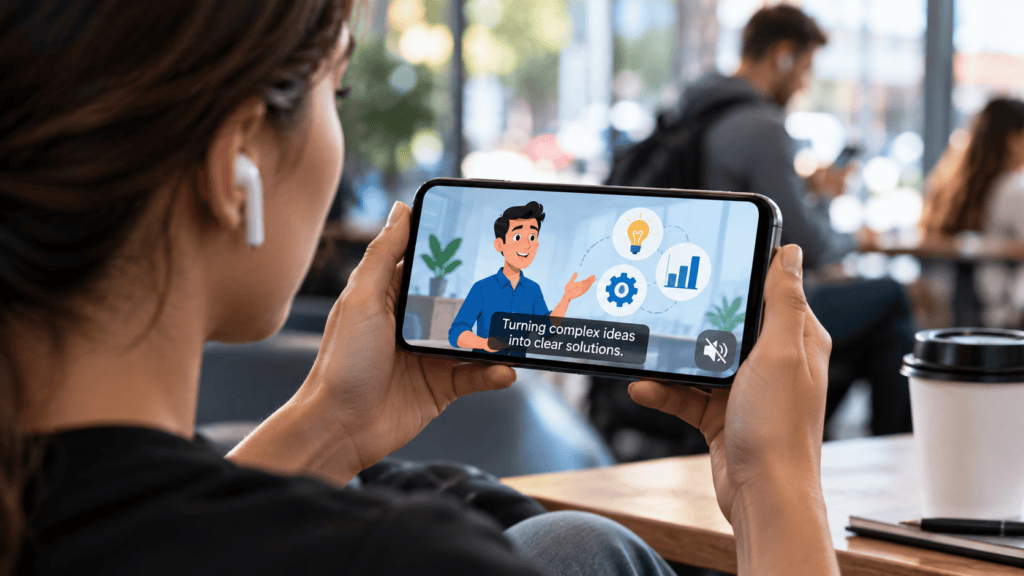
Quick answer: To design a sound-off explainer video, make the visuals tell the story without the voiceover. Use captions or kinetic text for key lines, show rather than describe, hook viewers visually in the first seconds, and put your brand and call to action on screen. Then test it on mute before you publish.
Introduction
Most explainer videos are written for the ear first. The voiceover carries the message, and the animation illustrates it. That works when people are listening. But many of your viewers aren’t.
Social feeds autoplay without sound. Trade show screens play in loud halls. Website background videos start muted. People watch on trains, in offices and next to sleeping kids. In all of these places, a video that depends on its audio loses most of its message.
Where do people watch without sound?
- Social feeds: LinkedIn, Facebook, Instagram and others often autoplay videos muted.
- Trade shows and events: booth screens compete with noise, so audio is useless.
- Website autoplay: browsers generally only allow autoplay when the video is muted.
- Waiting rooms, lobbies and retail displays
- Public places: commuting, offices and anywhere headphones aren’t handy
What changes when you design for sound-off?
| Sound-on design | Sound-off design |
|---|---|
| Voiceover carries the message | Visuals and text carry the message |
| Hook can be spoken | Hook must be visual |
| Logo and CTA can be spoken | Logo and CTA must be on screen |
| Music sets the mood | Color, motion and pacing set the mood |
| Text is optional | Captions or kinetic text are essential |
How do you make an explainer work on mute?
1. Hook with a picture, not a sentence. The first few seconds decide whether someone keeps scrolling. Open with motion, a surprising image or a bold text statement.
2. Show, don’t tell. If the voiceover says “our app saves you hours,” the visuals should show time being saved, not just a person nodding at a laptop.
3. Put key lines on screen. Use kinetic typography (animated text) for the few lines that matter most. Not the whole script, just the ideas someone must understand.
4. Add captions. Captions are the safety net for everything else. Burn them in (open captions) for platforms that don’t support caption files, or upload caption files where they’re supported. They’re also the core of accessible video.
5. Keep text readable. Large, high-contrast type, short phrases and enough time on screen to read. Remember most viewers are on phones.
6. Brand early and often. Don’t save your logo for the last frame. Use brand colors, and a mascot if you have one, so people know who’s speaking even if they leave early.
7. End with a visible call to action. “Book a demo at yoursite.com” needs to be on screen, not just in the voiceover.
Planning a video like this?
Talk it through with us on a free 30-minute brainstorm call. No obligation.
Should you make one version or two?
Often two. Your homepage explainer can stay voice-led, because visitors chose to press play. For social and events, create a cutdown built for sound-off: shorter, more text-driven, and structured for the platform’s aspect ratio. (For SaaS teams, our guide to types of SaaS video covers which formats to plan.)
Planning both versions at the start costs far less than retrofitting a finished video.
What about trade show loops?
Trade show videos have their own rules:
- Assume no sound at all. The hall is too loud.
- Make it a loop. People walk up mid-video, so every section should make sense alone.
- Go big. Text should be readable from several meters away.
- Keep the message short. Passers-by give you seconds, not minutes.
- Show your booth’s reason to stop. A clear promise or question gets people to walk over.
How do you test a sound-off video?
Watch it on mute, on a phone, at normal scrolling speed. Then ask someone who hasn’t seen it what the video was about. If they can’t tell you the main point and who made it, the sound-off version needs work.
The bottom line
A video that only works with sound is a video that half your audience never really sees. Designing for sound-off doesn’t mean dropping the voiceover or the sound design. It means making sure the pictures and text could carry the story alone.
At Gisteo, we often plan sound-off versions and social cutdowns alongside the main explainer (expanded scope/rates apply). Schedule a free consultation, tell us where your video will play, and we’ll design it to work there.
FAQs
Do I still need a voiceover if I design for sound-off?
Usually, yes. Many viewers do turn sound on, and a voiceover strengthens the message. Sound-off design makes sure the video still works when they don’t.
What is kinetic typography?
Kinetic typography is animated text that moves in time with the message. It’s a strong tool for sound-off viewing because it makes key words visible and engaging.
Should captions be burned in or uploaded separately?
Uploaded caption files are better for accessibility and can be turned off. Burned-in captions guarantee visibility on platforms that don’t support caption files or autoplay without them.
How long should a sound-off social video be?
Shorter than your main explainer. Cutdowns for social often run 15 to 30 seconds.
Start with a free brainstorm
Talk through your idea with us on a free 30-minute call or in a free script workshop. Curious about AI? Ask for a free 15-second sample. No obligation.
 Video ProductionHow To Craft a Sizzle Reel Script
 Video ProductionReal Estate Videography Pricing: What’s Changed, What to Expect, and How AI Is Reshaping the Market
 AI VideosAI Video Production Trends in 2026: What Actually Matters Now
 Video ProductionChoosing Between Animated and Live-Action Explainer Videos
 Video ProductionApp Demo Videos: The 90-Second Version of Your Onboarding
 AI VideosHow Can AI Help Video Production? A Practical Look at What’s Changed — and What Hasn’t

Stephen has spent 30+ years in advertising, branding and video, including 15 years at agencies like Young & Rubicam, JWT and DDB, before launching Gisteo in 2011. He still works hands-on on every project and leads the studio’s custom animation and AI video work. More about Stephen