 By Stephen Conley, Founder & Creative Director at Gisteo
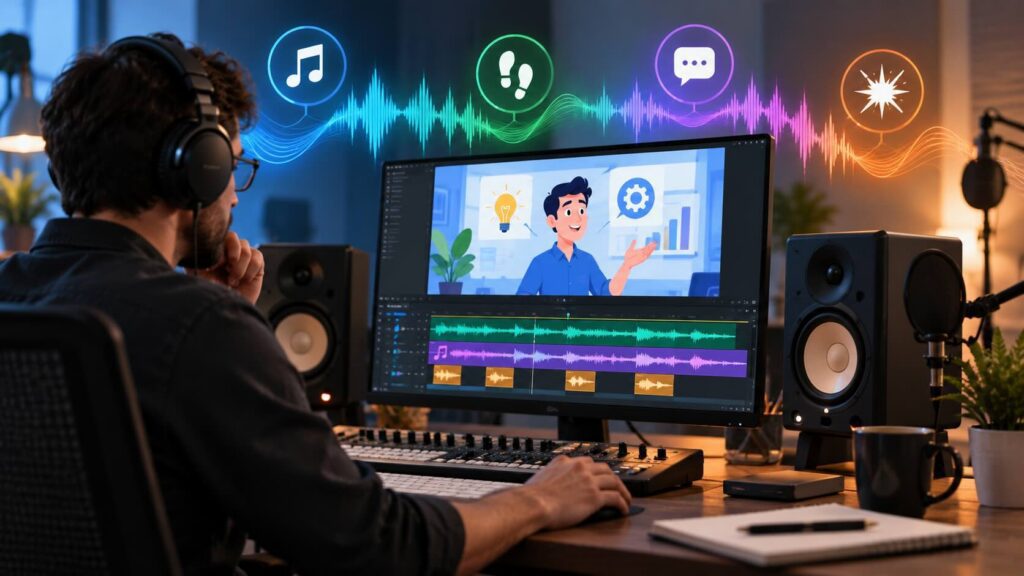
Quick answer: Sound design is the music, sound effects and audio mixing that surround your voiceover. It sets the mood, guides attention, makes animation feel physical and tells viewers how to feel about what they’re seeing. Good sound design is barely noticed. Poor or missing sound design makes even strong animation feel cheap.
Introduction
Watch a finished explainer video with the sound design removed and the voiceover left in. It still explains the product, but it feels flat and oddly empty. The animation looks lighter, the transitions feel abrupt and the ending lands with less impact.
Sound design is often the last step and the first place teams try to save money. Here’s why that’s usually a mistake, and what good sound design actually does.
What are the parts of sound design?
| Element | What it is | What it does |
|---|---|---|
| Music | The background track | Sets mood, energy and pace |
| Sound effects (SFX) | Clicks, whooshes, pops, chimes | Makes motion feel physical and draws attention |
| Ambience | Background sound of a setting | Places viewers in an office, city or nature scene |
| Mix | Balancing all audio levels | Keeps the voiceover clear above everything else |
| Silence | Deliberate absence of sound | Creates emphasis and contrast |
How does music change the message?
The same animation can feel completely different with different music, whatever the animation style. Upbeat, bouncy music says “this is easy and fun.” Calm piano says “we understand, and we’re here to help.” Driving electronic music says “this is powerful and modern.”
Choose music by asking what your viewer should feel at each point:
- The problem section might use tension or a quieter tone.
- The solution section often lifts in energy.
- The call to action should feel confident and resolved.
A good music edit follows the story, with changes in energy lining up with changes in the script.
Why do sound effects matter so much in animation?
In live action, the world makes its own sounds. In animation, nothing makes a sound unless someone adds it. Sound effects make animated objects feel real: a button click, a notification chime, a swoosh as a chart slides in.
Used well, sound effects:
- Direct attention to the thing you want viewers to notice
- Reinforce meaning (a satisfying “ding” when a problem is solved)
- Add polish that viewers sense even if they can’t name it
Used badly, they become noise. Every element doesn’t need a sound. The goal is emphasis, not decoration.
Planning a video like this?
Talk it through with us on a free 30-minute brainstorm call. No obligation.
What mistakes should you avoid?
- Music that fights the voiceover. Busy tracks with vocals or strong melodies compete with narration.
- Poor mixing. If viewers strain to hear the voice, the video fails.
- Generic tracks. A very popular stock track can make your video sound like dozens of others.
- Overdoing sound effects. Constant whooshes quickly become tiring.
- Ignoring loudness. Different platforms expect different audio levels. A video that’s too quiet or too loud feels unprofessional.
- Unlicensed music. Using a track without the right license can get your video muted, blocked or taken down.
What about music licensing?
Your options are usually:
- Stock (production) music libraries: affordable, licensed for business use, but not exclusive.
- Custom music: composed for your video and unique to your brand, at a higher cost.
- Sonic branding: a short signature sound or melody (a “sonic logo”) you use across all videos.
- AI-generated music: increasingly common. Check the tool’s commercial-use terms carefully.
Whatever you choose, make sure the license covers every place the video will run, including paid ads and broadcast if relevant.
Does sound design matter if people watch on mute?
Yes. Many people watch with sound on, especially on websites, in presentations and on YouTube. The best approach is to design visuals that work on mute and sound design that rewards the people who listen. (Here’s how to design for sound-off viewing.)
Final thoughts
Sound design is a small part of an explainer video budget with a big effect on how the video feels. It turns animation into an experience and gives your message emotional weight. For more production terms, see our explainer video glossary.
Every Gisteo explainer package includes professional music selection, sound effects and mixing. Schedule a free consultation, tell us about your project, and we’ll make sure it sounds as good as it looks.
FAQs
What is sound design in video?
Sound design is the creation and arrangement of music, sound effects, ambience and audio mix that surround the voiceover in a video.
Do explainer videos need sound effects?
Most benefit from them. Sound effects make animated movement feel physical and help direct attention, as long as they’re used selectively.
Can I use any song in my explainer video?
No. You need a license that covers commercial use. Using popular music without permission can lead to takedowns or legal claims.
What is a sonic logo?
A sonic logo is a short, recognizable sound or melody tied to a brand, used at the start or end of videos and ads.
Start with a free brainstorm
Talk through your idea with us on a free 30-minute call or in a free script workshop. Curious about AI? Ask for a free 15-second sample. No obligation.
 Video ProductionExplainer Videos for Complex Products: How to Turn Difficult Ideas Into Stories That Sell
 Video ProductionThe Explainer Video Brief: How to Give a Video Agency What It Needs to Nail Your Message
 AI VideosAI Product Demo Video: How to Create a High-Quality AI-Generated Demo (2026 Guide)
 Video ProductionWhy You Should Hire a Promotional Video Production Company
 AI VideosWhich Studio Creates Effective AI-Powered Video Content for Startups?
 Video ProductionChoosing Between Animated and Live-Action Explainer Videos

Stephen has spent 30+ years in advertising, branding and video, including 15 years at agencies like Young & Rubicam, JWT and DDB, before launching Gisteo in 2011. He still works hands-on on every project and leads the studio’s custom animation and AI video work. More about Stephen