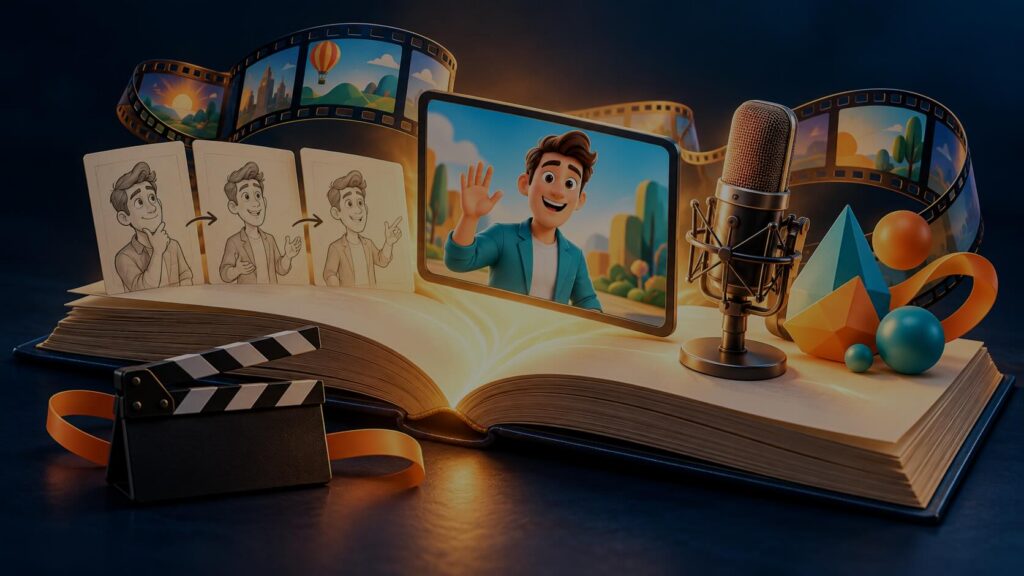

Quick answer: This explainer video glossary reviews the 40 terms you’re most likely to hear when making an explainer video, from planning (brief, script, storyboard) through production (style frame, animatic, rigging) to delivery (cutdown, aspect ratio, captions). Bookmark it before your first call with a studio.
Every industry has its jargon, and video production has plenty. You don’t need to learn it all, but knowing the key terms makes briefs clearer, feedback faster and quotes easier to compare.
Introduction
Every industry has its jargon, and video production has plenty. At Gisteo, we’ve been translating it for clients since 2011. Across more than 3,000 explainer and branded video projects, for everyone from early-stage startups to Intel, Harvard and Bills.com, we’ve seen the same pattern: the projects that run smoothest are the ones where the client and the studio speak the same language.
When a client knows the difference between a storyboard and a style frame, feedback lands at the right stage. When they know what counts as a revision round, there are no surprises on the invoice. And when they know to ask about project files, updating or translating the video later is simple instead of expensive.
The vocabulary has also grown. Explainer video production now spans custom 2D and 3D animation, motion graphics, AI avatars and AI cinematic footage, and each comes with its own terms. As a hybrid human-AI studio, we work across all of them every day, so this glossary covers both the classic production terms and the newer AI ones.
You don’t need to memorize every term in the explainer video glossary below. But knowing the key ones makes your brief clearer, your feedback faster and competing quotes easier to compare. Here are the 40 that come up most often, grouped in the order you’ll meet them in a real project.
Planning and pre-production
- Brief – A document describing what the video needs to do: audience, goals, key messages, length, style and budget.
- Discovery – The early conversation where the studio learns about your business, audience and goals before writing.
- Script – The written words of the video, usually the voiceover, often with notes on what appears on screen.
- Two-column script – A script format with the voiceover on one side and visual descriptions on the other.
- Word count / runtime – Scripts are often estimated by word count. A 60-second video usually needs a fairly short script, because voiceovers need breathing room.
- Storyboard – A sequence of sketches showing what appears in each scene.
- Style frame – A fully designed still image showing exactly how the finished video will look: colors, characters, typography and detail.
- Mood board – A collection of reference images and videos used to agree on a visual direction.
- Animatic – A timed video made from storyboard frames and voiceover, used to check pacing before animation.
- Scratch track – A temporary voiceover (often recorded quickly or with AI) used to time the animatic.
Styles and techniques
- 2D animation – Flat, illustrated animation built on height and width.
- 3D animation – Animation of digital models with depth, lighting and materials.
- 2.5D animation – Layered 2D artwork animated with depth effects to suggest 3D.
- Motion graphics – Animated graphic design: text, shapes, icons, charts and data.
- Kinetic typography (kinetic type) – Animated text that moves in time with the message.
- Whiteboard animation – A style that looks like drawings being made on a whiteboard.
- Character animation – Animating characters with personality, expression and movement.
- Rigging – Building a digital “skeleton” into a character so it can be moved efficiently.
- Lip sync – Matching a character’s mouth movements to the spoken audio.
- Mixed media – Combining formats such as live action, animation and AI footage in one video.
- AI avatar – A digital presenter generated with AI that speaks a script on camera.
- AI cinematic video – Realistic, film-like footage generated with AI video tools under human direction.
- B-roll – Supporting footage that plays over narration, as opposed to the main subject speaking on camera.
Audio
- Voiceover (VO) – The narration heard over the visuals.
- Pickup – A short re-recording to fix or change specific lines of a voiceover.
- Sound design – Music, sound effects and ambience that surround the voiceover.
- SFX – Short for sound effects.
- Mix – The balance of all audio levels so the voiceover stays clear.
- Sonic logo – A short signature sound or melody tied to a brand.
On screen
- Lower third – A graphic in the lower part of the screen, usually showing a name, title or short fact.
- Safe zone – The area of the frame where text and key visuals won’t be cut off or covered by platform buttons and captions.
- Transition – How one scene moves to the next, from a simple cut to a designed animated change.
- End card – The final screen with your logo, call to action and contact details.
- Call to action (CTA) – What you want the viewer to do next, such as “Book a demo.”
Delivery
- Aspect ratio – The shape of the video: 16:9 (widescreen), 9:16 (vertical), 1:1 (square) or 4:5.
- Cutdown – A shorter version of a video, often made for social media or ads.
- Captions (closed and open) – Text of the spoken words. Closed captions can be turned on and off. Open captions are burned into the video.
- SRT / VTT – Common caption file formats uploaded alongside a video.
- Project files / source files – The editable working files behind the video, useful for future edits and localization.
- Revision round – One cycle of client feedback and studio changes at a given stage.
Which terms matter most when you hire a studio?
If you remember only five, make them script, storyboard, style frame, animatic and revision round. These are the approval points in most projects, and knowing when each happens helps you give the right feedback at the right time.
Also ask about project files. Whether you get them affects how easily you can update or localize your video later.
The bottom line
You don’t need to talk like a producer to get a great explainer video. But knowing the term outlined in this explainer video glossary makes it easier to brief a studio, compare quotes and give feedback that gets results.
Gisteo has explained complex things in plain English since 2011, including our own process. Schedule a free consultation now and we’ll walk you through every step.
FAQs
What’s the difference between a storyboard and a style frame?
A storyboard shows what happens in each scene, usually as rough sketches. A style frame shows exactly how the finished video will look, in full color and detail.
What is a cutdown video?
A cutdown is a shorter version of a longer video, often made for social media or advertising.
What does “safe zone” mean in video?
The safe zone is the part of the frame where text and important visuals won’t be cropped or covered by platform interfaces.
Do I get the project files with my explainer video?
It depends on the studio and contract. At Gisteo, we offer free project files with our Unlimited Plan. Always ask before you sign.