
Quick answer: To localize an explainer video, translate and adapt the script, replace the voiceover or add subtitles, update every piece of on-screen text, and check visuals for cultural fit. The easiest way to do it is to plan for localization before the first version is animated, so text, timing and visuals are easy to swap.
Introduction
An explainer video that works well in one market can fall flat in another. The words are wrong, of course, but so are the pace, the examples and sometimes the pictures. Localization is how you fix that.
The good news is that localization is much cheaper and faster than making a new video, especially if you plan for it early. Here’s how it works.
What’s the difference between translation and localization?
Translation changes the words from one language to another.
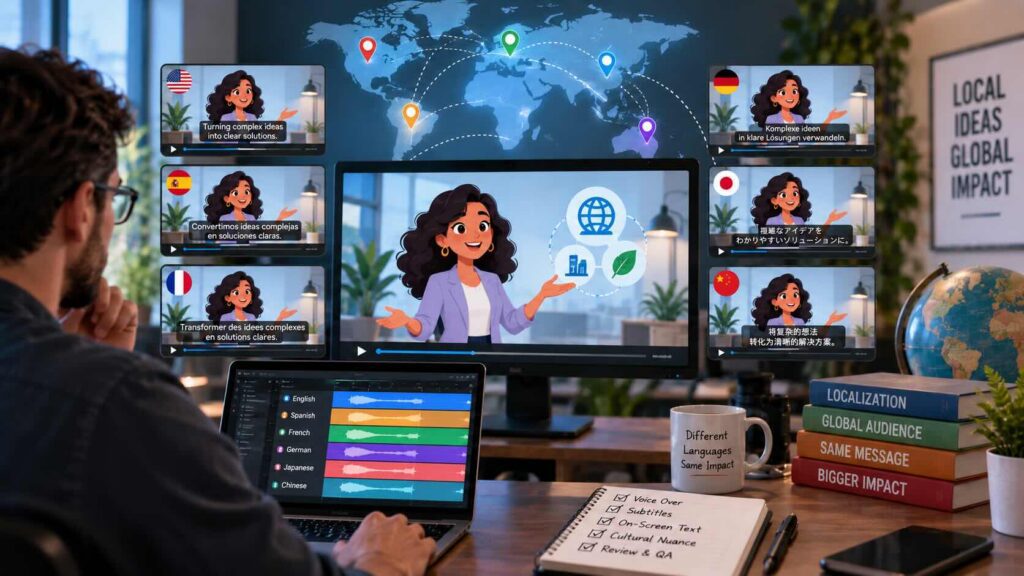
Localization adapts the whole video for a new audience: the words, voice, on-screen text, visuals, examples, currency, dates and cultural references. A translated video speaks the language. A localized video feels like it was made for that market.
What are your options for the audio?
| Option | How it works | Best for | Trade-offs |
|---|---|---|---|
| Subtitles only | Original audio stays; translated captions appear | Low budgets, social video, quick tests | Viewers must read; weaker for complex visuals |
| New human voiceover | A native voice actor records the translated script | Flagship videos, important markets | More cost and time per language |
| AI voiceover or dubbing | AI generates the translated voice, sometimes in the original voice | Many languages, frequent updates, testing markets | Needs native review for pronunciation and tone |
| Voiceover + subtitles | New voice plus captions in the same language | Accessibility and sound-off viewing | Most complete, but most work |
For animated explainers, a new voiceover is usually the best option because there are no on-camera lips to match. If you add captions, they also make your video accessible and help it work on mute. For videos with a presenter on camera, AI dubbing tools can now adjust lip movements, though results should always be reviewed carefully.
How do you handle on-screen text?
On-screen text is where localization gets expensive if you didn’t plan ahead. Every title, label, callout and UI screen needs to change.
- Keep text editable. Ask your studio to keep text as live, editable layers in the project files, not baked into artwork.
- Leave room. Many languages take more space than English. German and Spanish lines often run longer. Designs with tight text boxes break easily.
- Watch reading direction. Arabic and Hebrew read right to left, which can affect layout, animation direction and even how arrows and timelines flow.
- Localize screenshots. If your product has a localized interface, show it. An English UI in a French video undermines the message.
- Check fonts. Make sure your brand fonts support the characters you need, such as accents, Cyrillic or Asian scripts.
How does timing change?
Translated scripts rarely match the original length. A line that takes three seconds in English might take four or five in another language. That creates a choice:
- Edit the translation to fit the original timing (the translator adapts, not just translates).
- Re-time the animation to fit the new voiceover.
Usually the best result is a bit of both. A translator who understands video, or “transcreation,” will shorten lines without losing the meaning.
What cultural details should you check?
Cultural review catches things a translator might not flag:
- Examples and names. A character named “Bob” buying coffee in dollars won’t feel local everywhere.
- Gestures and symbols. Some hand gestures, colors and icons carry different meanings in different countries.
- Humor. Jokes and wordplay rarely translate directly.
- Formats. Currency, dates, units of measure and phone number formats should match the market.
- Imagery. Clothing, settings and people should reflect the audience you’re speaking to.
How do you plan an explainer video for localization from day one?
If you know you’ll need other languages, tell your studio at the start. It changes a few decisions:
- Write a translation-friendly script. Avoid idioms and puns that won’t carry across.
- Keep on-screen text light. Let the voice carry information where possible.
- Use editable text layers in all project files.
- Design flexible layouts with room for longer text.
- Use neutral visuals where specific cultural details aren’t needed.
- Record the original voiceover with clean pauses to make re-timing easier.
Final thoughts
Localizing an explainer video is one of the cheapest ways to reach a new market. The key is treating it as adaptation, not just translation, and planning for it before the first version is built.
Gisteo has produced explainer videos for international brands since 2011. Whether you need subtitles, native voice actors or AI voices in several languages, tell us which markets you’re targeting and we’ll plan the most efficient approach.
FAQs
How much does it cost to localize an explainer video?
It depends on the number of languages, how much on-screen text the video has, and whether you choose subtitles, a human voice or AI voice. It’s almost always much cheaper than producing a new video.
Should I use subtitles or a new voiceover?
For important markets, a native voiceover usually performs better. Subtitles are a good, affordable option for social video, quick tests and smaller markets.
Can AI translate and dub my explainer video?
Yes. AI tools can translate scripts and generate voiceovers in many languages. Always have a native speaker review the result for accuracy, pronunciation and tone.
What is transcreation?
Transcreation is adapting a message for a new language and culture while keeping its intent and emotional effect. It goes beyond word-for-word translation.
Do I need the original project files to localize a video?
Ideally, yes. Editable project files make it far easier to change on-screen text and re-time animation. Without them, text changes may require rebuilding scenes. At Gisteo, source files are available as a buy-out, and they’re included with our Unlimited plan.