
Introduction
Welcome to the ultimate treasure map for anyone looking to create explainer videos that not only dazzle but also convert. At Gisteo, we’ve spent more than a decade helping brands turn complex ideas into clear, compelling stories through explainer videos. After producing thousands of videos for companies across industries, one thing is crystal clear: when the story is right, the video works.
In a world where attention spans are shorter than a TikTok clip, explainer videos have become one of the most effective tools for communication. They’re like the Swiss Army knife of content—versatile, engaging, and incredibly powerful when done well. But here’s the catch: not all explainer videos are created equal. The ones that convert don’t just look good; they’re built on strategy, clarity, and a strong narrative foundation.
So, what’s the deal? Explainer videos are short, animated or live-action clips that break down complex ideas into bite-sized, digestible pieces. Think of them as your friendly guide through the jungle of information overload. Instead of forcing your audience to wade through walls of text, you invite them into a visual story that makes understanding easy—and memorable.
And the results back it up. Explainer videos can increase conversion rates by up to 20%, sometimes much more when paired with the right message. That’s exactly why companies come to Gisteo: they don’t just want animation, they want clarity that drives action.
In this comprehensive guide, we’ll walk through everything you need to know about creating effective explainer videos—from scripting and storyboarding to production and tools. Whether you’re a marketer, founder, or part of a growing team, this guide will give you a practical framework for creating explainer videos that actually do their job.
Let’s dive in.
Understanding Explainer Videos
So, what exactly are explainer videos? Think of them as the friendly tour guides of the digital world. They break down complex ideas into bite-sized, digestible pieces, making sure your audience is not just informed but also entertained.
Definition and Purpose
An explainer video is a short, engaging video that explains a product, service, or concept. Their primary purpose? To clarify and captivate! Whether you’re launching a new app or explaining a service, these videos help convey your message effectively.
Types of Explainer Videos
When it comes to making explainer videos, variety is the spice of life! Here are some popular styles:
- Animated Explainer Videos: These use animation to tell your story. Perfect for visual storytelling!
- Live-Action Videos: Featuring real people and environments, these videos add a personal touch.
- Whiteboard Animations: A classic style where illustrations are drawn on a whiteboard as the narrative unfolds.
- Screencasts: Great for software demos showing rather than telling!
Benefits of Using Explainer Videos
The benefits are as sweet as candy! Here’s why you should consider adding them to your marketing toolkit:
-
- Increased Engagement: People love watching videos! In fact, studies show that viewers retain up to 95% of a message when they watch it in a video compared to just 10% when reading text.
- Simplified Communication: Complex ideas become simple stories. Your audience will thank you!
- Boosted Conversions: According to research, including an explainer video on landing pages can increase conversions by up to 80%.
- Versatile Use Cases: From social media ads to product demos and even internal training explainer videos fit everywhere!
How to Create Explainer Videos: A Step-by-Step Guide
Creating stunning explainer videos is like baking a cake: you need the right ingredients, a solid recipe, and a sprinkle of creativity. Here’s your step-by-step guide on how to create explainer videos that not only inform but also convert viewers into customers.
1. Planning Your Video Project
Before diving into production, you need a well-thought-out plan. Consider the following:
- Define Your Goal: What do you want viewers to do after watching? Visit your website? Make a purchase? Knowing this will shape your entire video.
- Identify Your Audience: Who are you talking to? Understanding their interests and pain points will help tailor your message.
- Set a Budget: Determine how much you’re willing to invest in your explainer video production. This includes software, talent, and any additional resources.
2. Writing the Script for Your Animated Video
Your script is the backbone of your explainer video. Here are some tips for effective script writing:
- Keep It Short: Aim for a duration of around 60-90 seconds, which typically translates to about 150-200 words.
- Start with a Hook: Grab attention in the first few seconds with an intriguing question or statement.
- Tell a Story: Use storytelling techniques to explain how your product or service solves problems. This makes it relatable!
- Add a Call-to-Action (CTA): Don’t forget to tell viewers what you want them to do next!
3. Selecting the Right Style for Your Video Content
The style of your explainer video can make or break its effectiveness. Consider these popular styles:
- Animated Videos: Great for explaining complex ideas simply and engagingly.
- Live Action Videos: Perfect for showcasing real people and products in action.
- Whiteboard Animation: Excellent for educational content where visual storytelling is key.
- Motion Graphics: Ideal for tech-focused businesses wanting sleek visuals without too much detail.
Key Takeaway:
The success of your explainer video hinges on thoughtful planning, a compelling script, and choosing the right style that resonates with your audience. Keep experimenting until you find what works best!
Explainer Video Production Process
So, you’ve got your script and style locked down now it’s time to dive into the nitty-gritty of the explainer video production process. This is where your ideas start morphing into something tangible. Buckle up, because we’re about to break it down step-by-step!
Creating a Storyboard for Your Explainer Video
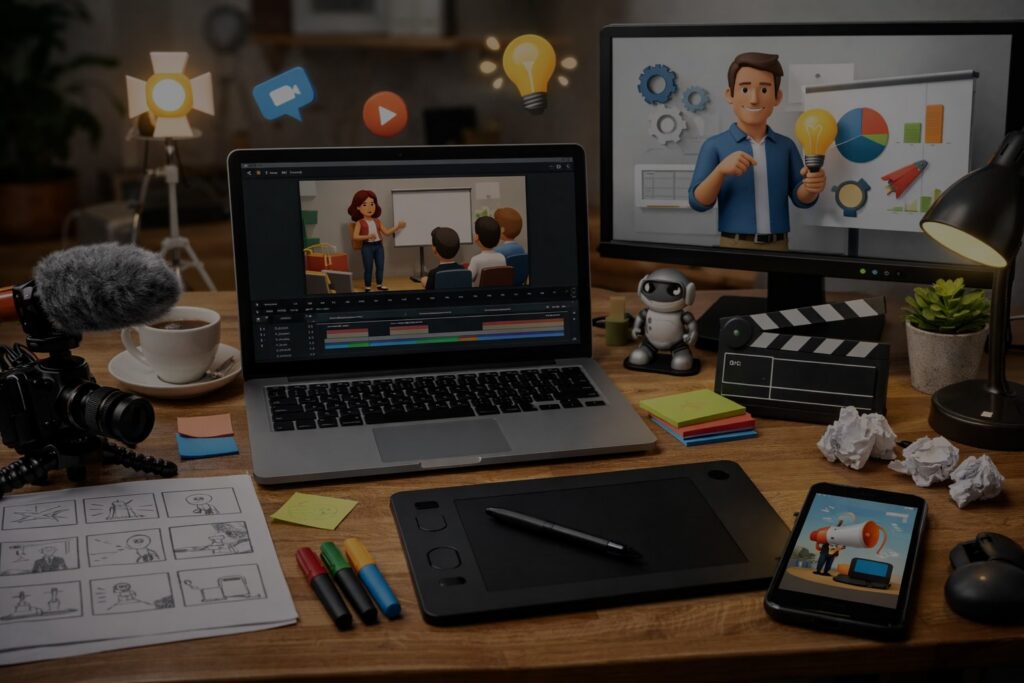
A storyboard is like a comic strip for your video. It helps you visualize the flow and ensures that every scene aligns with your script. Think of it as the blueprint for your video masterpiece.
- Sketch out each scene: You don’t need to be Picasso, stick figures will do!
- Include notes on transitions: How will you move from one scene to another?
- Plan out visual elements: What animations or graphics will enhance your storytelling?
Choosing Animation for Your Explainer Videos
The right animation style can make or break your explainer video. Do you want something sleek and modern or fun and quirky? Here are some popular styles:
- 2D Animation: Classic and versatile, perfect for most projects.
- 3D Animation: Great for showcasing products in a realistic way.
- Whiteboard Animation: Engaging and educational, ideal for complex topics.
Tip: Consider using tools like Adobe After Effects or Vyond to create stunning animations without needing a degree in graphic design!
Recording Voiceover for Explainer Videos
Your voiceover is the heartbeat of your explainer video. It adds personality and guides viewers through the content. Here’s how to nail it:
- Select a clear, engaging voice: This could be you or a professional voice actor.
- Create a comfortable recording environment: Minimize background noise no one wants to hear your cat meowing during an important point!
- Edit for clarity and pace: Make sure the delivery matches the visuals; timing is everything!
The production process can feel overwhelming at times, but remember that each step gets you closer to creating those engaging explainer videos that captivate audiences. By following these steps, you’re well on your way to mastering how to create explainer videos that not only inform but also convert!
Best Practices for Making Engaging Explainer Videos
Creating an explainer video that captivates your audience is like crafting the perfect cocktail: it requires the right mix of ingredients, a splash of creativity, and a dash of finesse. Here are some best practices to ensure your video isn’t just good but truly engaging!
Effective Visual Storytelling Techniques
Visual storytelling is the beating heart of an explainer video. To make your audience sit up and take notice, consider these techniques:
- Start with a Hook: Grab attention in the first few seconds. Think of it as the trailer for your movie make it irresistible!
- Keep It Simple: Avoid clutter. Use clean visuals that complement your message without overwhelming viewers.
- Use Metaphors and Analogies: Relate complex ideas to everyday experiences. For example, explaining cloud storage by comparing it to a virtual filing cabinet can make it more relatable.
Tips for Creating Animated Explainer Videos
If you’re diving into animation for explainer videos, here are some pro tips:
- Choose the Right Style: Whether it’s motion graphics or character animation, select a style that resonates with your brand identity.
- Color Matters: Use colors strategically to evoke emotions and highlight key points. A well-placed splash of color can turn heads!
- Pacing is Key: Keep your animations moving at a pace that allows viewers to absorb information without feeling rushed.
Common Mistakes to Avoid in Explainer Video Creation
Avoiding pitfalls is crucial when learning how to create explainer videos. Here are some common missteps:
- Overloading Information: Too much information can confuse rather than clarify. Stick to one main idea per video.
- Neglecting Audio Quality: Bad audio can ruin even the best visuals. Invest in quality voiceover for explainer videos your audience will thank you!
- Ignoring Your Target Audience: Tailor content specifically for your audience’s needs and preferences; otherwise, you risk losing their interest.
Tools and Software for Creating Explainer Videos
When it comes to how to create explainer videos, having the right tools in your arsenal can make all the difference. Whether you’re a seasoned pro or just dipping your toes into the world of explainer video production, there are plenty of options that cater to different needs and budgets. Let’s break it down!
Best Software Options Available
If you’re serious about making professional-grade explainer videos, consider these popular software options:
- Adobe After Effects: This is the go-to for many animators. It offers advanced features for creating stunning animations, but be prepared for a learning curve.
- Animaker: Perfect for beginners, this tool allows you to create animated explainer videos with drag-and-drop simplicity.
- Camtasia: Great for screen recordings and video editing, Camtasia is ideal if you’re showcasing software or online tools.
- Vyond: A fantastic option for creating engaging animated videos quickly, with a variety of templates to choose from.
D.I.Y. Tools for Cost-Effective Explainer Videos
If you’re looking to save some cash while still producing quality content, check out these D.I.Y. tools:
- Pencil2D: This open-source animation software is great for traditional hand-drawn animations without breaking the bank.
- Powtoon: A user-friendly platform that allows you to create animated presentations and explainer videos without needing extensive design skills.
- Canva: While primarily a graphic design tool, Canva now offers simple video creation features that can help you whip up quick explainer videos.
Popular Styles of Animation for Explainer Videos
The style of animation you choose can significantly impact how your message is received. Here are some styles that are trending right now:
-
Screencast Videos: Perfect for tutorials, these show your screen while you narrate what’s happening.
-
Whiteboard Animation: This style keeps viewers engaged by simulating someone drawing on a whiteboard as they explain concepts.
-
Kinetic Typography: Using moving text to convey ideas can be incredibly effective—especially when paired with catchy music.
-
Cinematic Animation: For those looking to tell a story, this style combines narrative elements with high-quality visuals.
-
AI-Powered Explainer Videos: These leverage AI-generated visuals or avatars to produce videos quickly and affordably, making them a smart option for rapid content creation and scalable messaging.
Tip: Always test out free trials before committing! Many software platforms offer free versions or trials so you can find the best fit without spending a dime.
No matter which route you take whether it’s using advanced software or opting for simple D.I.Y. tools having the right resources will empower you in your journey of making explainer videos that not only inform but also convert!
Exploring Creative Ideas for Your Explainer Video Content
When it comes to how to create explainer videos, creativity is your secret weapon. Think of your video as a delicious sandwich the bread is essential, but it’s the filling that makes it irresistible. Let’s dive into some creative ideas that can spice up your explainer video content!
Brainstorming Unique Concepts and Themes
Start by gathering your team for a brainstorming session. Grab some snacks, get comfy, and let the ideas flow! Here are some techniques to inspire you:
- Mind Mapping: Create a visual map of ideas branching out from your main topic. This can lead to unexpected connections and themes.
- Storytelling: Everyone loves a good story! Think about how you can weave a narrative around your product or service that resonates with your audience.
- Analogies and Metaphors: Use relatable analogies to simplify complex concepts. For example, if you’re explaining a tech product, compare it to something universally understood like comparing cloud storage to an online filing cabinet!
Catering to Your Audience’s Needs and Preferences
Your audience should always be at the heart of your explainer video creation process. Here’s how you can ensure their needs are met:
- Conduct Surveys: Ask potential viewers what they want to know about your product. This can guide both content and style.
- Create Personas: Develop detailed profiles of different audience segments. Tailor your messaging and visuals based on their preferences.
- Analyze Competitors: Look at what others in your industry are doing. Identify gaps in their content that you can fill with unique insights or styles.
Pro Tip: Explore various styles of animation for explainer videos! From whiteboard animations to motion graphics, each style has its own charm and effectiveness in engaging viewers.
 A well-thought-out explainer video not only informs but also entertains. By combining unique concepts with an understanding of your audience’s preferences, you’ll be well on your way to creating engaging explainer videos that truly convert!